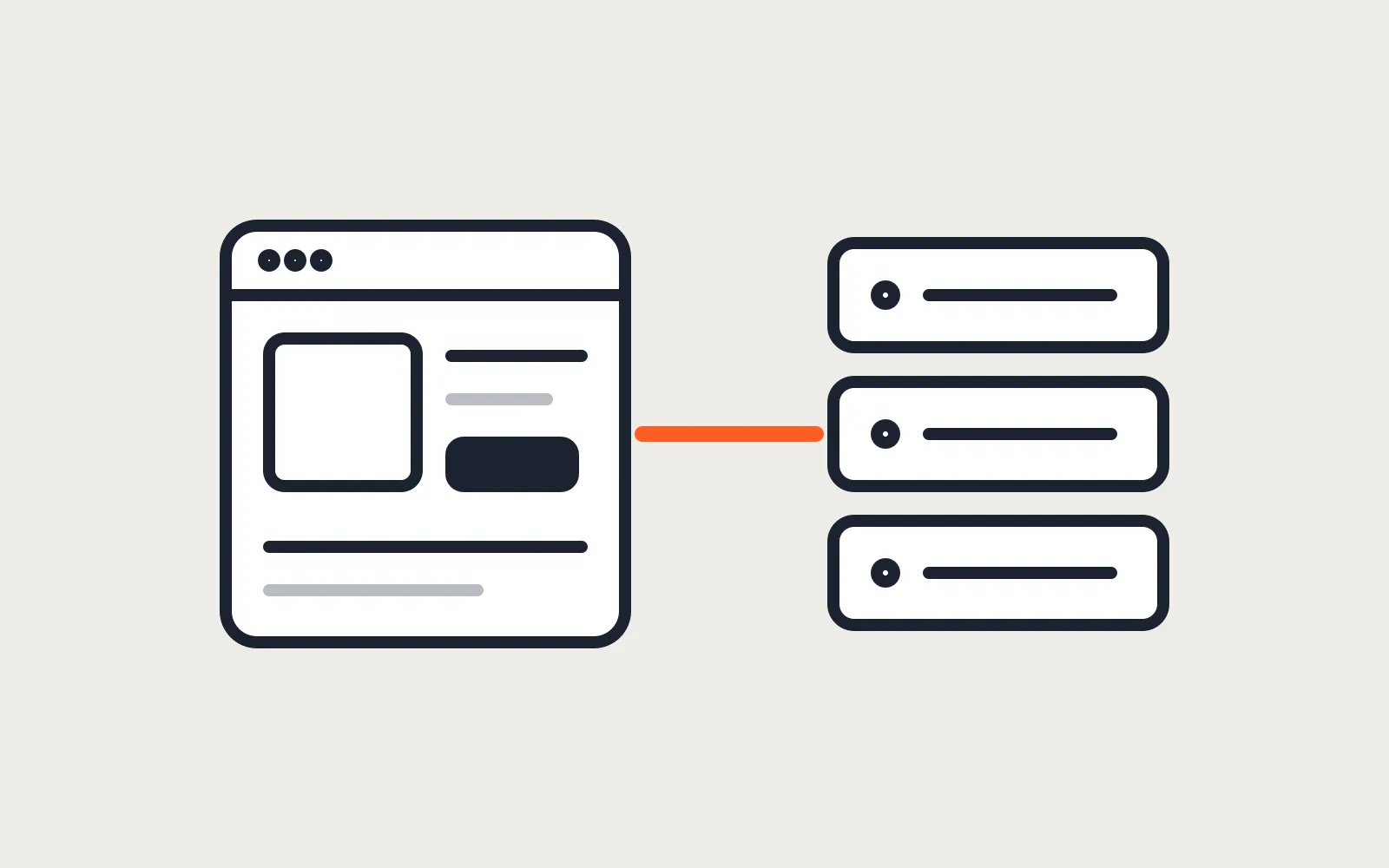
The question usually arrives as “should we move from Shopify to Astro?” or “is Astro better than WooCommerce?”. Neither is the real choice. Astro builds pages. It has no product admin, no cart, no order list and no payments. Shopify and WooCommerce have all of those. An Astro storefront keeps the store and replaces only the theme.
That split is called headless: a headless Shopify or WooCommerce store with Astro as the front end. Your products, prices, stock, checkout and orders stay where they are. Astro reads the catalog through the store’s API, builds fast pages from it, and hands the shopper back to the store at checkout. Done for the right store, the pages get faster and the content gets easier to shape. Done for the wrong store, you pay for a front end and then lose half your apps.
TLDR
An Astro storefront keeps Shopify or WooCommerce for products, cart, checkout and orders, and replaces only the theme. It pays off for content-heavy brands with small to mid catalogs where page speed and design freedom matter. It is the wrong move for stores that rely on theme apps, B2B portals, or many plugins that change the cart, because those stop working or need rebuilding. Checkout should stay on the platform’s own checkout.
What stays on the store and what moves to Astro
Think of it as two halves with a clear line between them.
| Stays on Shopify or WooCommerce | Moves to Astro |
|---|---|
| Products, variants, prices, stock | Home, collection and product page templates |
| Checkout and payment gateways | Blog, guides, landing pages |
| Orders, customers, refunds, email receipts | Navigation, search UI, filters UI |
| Tax and shipping rules | Image handling and page speed |
| Admin apps, ERP and accounting sync | Design, with no theme settings to fight |
The left column is the expensive, risky part of ecommerce. Leaving it on the platform is the point. A custom checkout is where small stores lose money, so neither of the setups below replaces it.
Shopify behind Astro
Shopify gives you three pieces for this.
- The Headless channel, installed from the Shopify App Store. Its “Create storefront” step generates the public and private access tokens the Storefront API needs.
- The Storefront API, a GraphQL API for products, collections and carts. Astro calls it at build time to make product pages, and from the browser for the cart.
- The Cart API. A
cartCreatemutation makes the cart, and the cart’scheckoutUrlis, in Shopify’s words, a URL “that redirects customers through Shopify’s web checkout”.
That last point is the one to hold on to. The shopper browses your Astro pages, then pays on Shopify’s checkout with Shop Pay, your discounts, your shipping rates and your tax settings, the same as today. Orders land in the Shopify admin. Fulfillment apps keep working.
You don’t need Plus. Shopify’s pricing page lists “Build headless storefronts” with one storefront on Basic, Grow and Advanced, and 25 on Plus. Basic is $25 a month, or $19 a month billed yearly.
What breaks on Shopify
Theme apps. Shopify’s theme app extensions are how apps add blocks and embeds to a merchant’s Online Store theme. An Astro site is not an Online Store theme, so those blocks have nowhere to go. The review stars, the upsell carousel, the size chart popup, the back-in-stock form: if they came from an app block, they disappear.
Each one then has three options. Rebuild it on Astro through the app’s own API, if the app has one. Replace it with a different service that does. Or drop it. On a store with three theme apps this is a day of planning. On a store with fifteen it is most of the project.
Count your theme apps before anything else. If the list is long, the store probably wants a custom Shopify theme instead, which keeps every app and still gets you your own design.
WooCommerce behind Astro
WooCommerce has the same split with different names. WordPress keeps the admin, WooCommerce keeps the catalog and checkout, and Astro builds the pages. Astro’s own docs suggest keeping WordPress as a headless CMS, and the same idea extends to the store.
The API is the Store API. It’s public and unauthenticated, lives under /wp-json/wc/store/v1/, and covers products, the cart, shipping rates and checkout. An Astro page can read the catalog at build time with a plain fetch:
---
// src/pages/shop/index.astro
const res = await fetch('https://shop.example.com/wp-json/wc/store/v1/products?per_page=50');
const products = await res.json();
---
<ul>
  {products.map((p) => (
    <li><a href={`/shop/${p.slug}`}>{p.name}</a></li>
  ))}
</ul>
No API key is needed for that call, because the Store API only returns what a shopper could see anyway.
Two ways to do checkout
The simple way: product pages on Astro, cart and checkout on WooCommerce. Each “Add to cart” button is a link to the store with WooCommerce’s add-to-cart URL, in the form ?add-to-cart=PRODUCT_ID&quantity=1. The shopper lands on the WordPress cart, pays on the normal checkout, and every payment gateway and checkout plugin you have still works. The cost is a visible jump between two designs, which a careful match of fonts and colors mostly hides.
The full way: cart and checkout built on Astro, talking to the Store API. Headless carts use a Cart-Token header instead of cookies, and the checkout endpoint takes the addresses and a payment_method. The catch is in the checkout docs: the payment data each gateway needs differs, and WooCommerce tells you to ask the gateway’s authors. So before quoting a full headless checkout, we check that the store’s gateway documents Store API support. If it doesn’t, the simple way wins.
What breaks on WooCommerce
Anything that hooks into the theme or the classic cart. Product add-ons, bundle builders, pricing rule plugins, wholesale prices, gift wrap fields. Each one changes what the cart holds or what the product page shows, and each one was written for WordPress pages, not for a separate front end. Some expose their data through the Store API. Most don’t.
If the cart is where your store’s logic lives, keep the cart on WooCommerce. Our guide to custom checkout fields in WooCommerce Blocks covers how much can be done inside WooCommerce’s own checkout without a separate front end.
When Astro ecommerce pays off
A headless storefront is a bigger build than a theme, so it has to earn the extra cost. These are the stores where it does.
- A brand that sells through content: long product stories, guides, lookbooks, recipes. Astro builds those pages as plain HTML with almost no JavaScript, and the design isn’t limited by theme sections.
- A catalog that changes weekly, not every minute. Astro pages are built ahead of time. When a price changes, the site rebuilds, which a store webhook can trigger through a host’s build hook. Stock and the cart are read live, so a sold-out item never sells.
- A store whose theme is the slow part. If the product page spends most of its load time on theme and app scripts, moving the pages to Astro removes that weight. Measure first: if the slow part is images or one heavy app, fix that instead.
- A site that’s mostly content with a small shop attached. A consultant selling three courses, a bakery with a menu and preorders. Most of the site is pages, and the shop is a corner of it.
When it doesn’t
- Many theme apps on Shopify, or many cart plugins on WooCommerce. Every one is a rebuild or a loss.
- B2B and wholesale stores. Customer-specific prices, quotes and company accounts live in the platform’s own front end and checkout, and rebuilding them is a portal project, not a storefront.
- A team that edits the store every day with a page builder. On Astro, content changes either go through a headless CMS or through a developer. If the team needs drag and drop, keep the theme.
- A store that wants a cheaper bill. Headless does not remove the Shopify plan or the WordPress hosting. It adds a front end. The saving is in speed and freedom, not in subscriptions.
For a small shop with a handful of products and no platform at all, a full headless setup is too much. A static Astro site with Stripe Checkout is often enough, and it is cheaper to run.
How we build one
Same order every time.
- List every theme app or cart plugin, with what it does and whether it has an API. This decides the price more than the page count.
- Map the old URLs to the new ones. Product and collection URLs that change get a 301, the same as any WordPress to Astro move.
- Build the product, collection and content templates on a staging domain, reading the live catalog.
- Wire the cart to the platform’s checkout, and run real test orders through it: discount codes, shipping zones, tax, refunds.
- Set up the rebuild trigger, so a price change in the admin reaches the site in minutes.
- Switch DNS, and keep the old theme published but unlinked for a week, as the fallback.
Appbuff’s own site runs the same way: static Astro pages, plus one on-demand route for the contact form. The pages that sell are static. The parts that need a server are small and few.
If you want to know whether your store fits, send us the store URL and the list of apps or plugins. The Astro website service quotes in two business days, and if a Shopify theme or a WooCommerce build is the better fit, the quote says so.
Questions
Can I use Astro instead of WooCommerce or Shopify?
Not on its own. Astro builds web pages and has no product admin, cart, orders or payments. In a headless store Astro replaces the theme, and Shopify or WooCommerce runs everything behind it, checkout included. For a small catalog, Astro with Stripe Checkout can stand in for a store platform.
Do Shopify apps work on an Astro storefront?
Apps that only work in the admin or at checkout keep working, because checkout still runs on Shopify. Apps that add blocks or embeds to your theme do not, because an Astro site is not an Online Store theme. Reviews, upsell widgets and popups are the usual losses, and each one is rebuilt through the app's API or dropped.
How much does an Astro storefront cost compared to a theme?
More up front. A theme is configured, a headless front end is built page by page. Our Astro builds start at $1,500 fixed for a small site; a storefront with cart, search and product pages on a live catalog is quoted after we see the store and its apps.
Read these next
Same kind of problem, different corner of the store.
Astro vs WordPress for a small business website
Astro suits most small business sites and handles bookings and logins with a database. Speed, security, editing, upkeep, and where WordPress keeps an edge.
Websites
Check a site built with Claude or ChatGPT before launch
It looks finished in the preview. Before customers see it: hosting and domain, a form that sends, leaked keys, headers, what Google needs, and upkeep.
Websites
Host a small business website for free
Cloudflare, Netlify, Vercel and GitHub Pages all host a static site for $0. Which free plan suits a business site, and the limits to know before launch.
Websites